
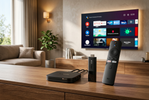
What Is Xiaomi TV Box And How Does It Turn Any Regular TV Into A Smart TV?
, by Moe Sharif, 23 min reading time
, by Moe Sharif, 23 min reading time
The Xiaomi TV Box has become one of the most widely used solutions today for turning any traditional screen into a fully integrated smart experience, especially with the growing reliance on streaming services and apps instead of traditional channels. The idea is simply based on a small device that connects to the TV to give it the capabilities of smart operating systems, such as downloading apps, watching content over the internet, and playing media in high quality. Xiaomi offers a distinguished lineup of Xiaomi TV Box devices such as the Xiaomi Mi Box and Mi Box S, which have become among the most popular choices globally thanks to their stable performance and support for technologies like 4K and Android TV.
In this article, we'll cover everything you need to know about Xiaomi TV Box devices and their best versions.
It is a small device from Xiaomi that connects to the TV via an HDMI port, and turns any regular screen into a smart TV running on Xiaomi's system, Google TV, or Android TV.
Therefore, this device adds to the TV the ability to run apps like YouTube, Netflix, and IPTV, and to browse the internet without needing to buy a new television.
The Xiaomi TV Box works in a very simple way. All you need is:
● Connect the device to the TV via HDMI.
● Connect it to the internet via Wi-Fi or a cable, depending on the model.
● Open the Android TV or Google TV interface.
After that, you can download apps from the Google Play Store. Control is done via the Xiaomi Box remote or by voice in some versions.
The device relies on a smart operating system that allows it to process video and play it directly from the internet, instead of traditional channels.
The main difference between the Xiaomi Mi Box S and other versions such as the Mi Box, Mi Box S 2nd Gen, or Mi Box 4K lies in:
● Operating System: Newer versions usually run on Google TV instead of the older Android TV.
● Performance: More recent versions are faster at opening apps and navigating.
● Intelligence and Interface: Google TV offers more advanced content recommendations.
● Audio and Video Support: Some versions support Dolby Vision, HDR10+, and Dolby Atmos.
● Ports and Connectivity: Improvements in Wi-Fi and Bluetooth in newer generations.
In general, the Xiaomi Mi Box S is considered a stable version of Xiaomi TV Box devices, while newer versions offer a smoother experience and additional features.
Among the most important specifications you'll find in most Xiaomi TV Box devices:
● Playback resolution up to 4K Ultra HD.
● Quad-core processor for fast performance.
● RAM is usually 2GB.
● Internal storage of 8GB or more.
● Dual-band Wi-Fi support.
● Bluetooth support for connecting speakers or other devices.
● Support for streaming apps such as Netflix, YouTube, and Prime Video.
● Support for audio and video technologies such as Dolby Audio and DTS in some versions.
All of these specifications make the device suitable for turning any regular TV into a complete entertainment platform without any complexity.
The Xiaomi media player, or Xiaomi TV Box, turns any regular TV into a smart screen by adding a complete operating system similar to a smartphone.
As soon as you connect the device to the HDMI port on the TV and link it to the internet, the TV transforms into a fully integrated entertainment platform running on Xiaomi's system built on Android TV or Google TV.
Therefore, the Xiaomi TV Box doesn't change the TV itself, but rather adds a smart system to it that allows:
● Running apps directly from the internet.
● Watching movies and series on demand.
● Using streaming services instead of traditional channels.
● Browsing the internet from the TV screen.
● Supporting control via remote or even voice commands in some versions.
The Xiaomi TV Box supports a large number of apps, whether they are streaming, entertainment, or media playback tools. The most important categories include:
● Global Streaming Apps, such as: Netflix, YouTube, Prime Video, and Disney+.
● IPTV and Live Streaming Apps, such as: IPTV Smarters, TiviMate IPTV Player, Smart IPTV, and Kodi.
● Media Playback Apps, such as: VLC Media Player, MX Player, and also File Manager for browsing files.
● Additional Entertainment Apps, including: Spotify for music, light gaming apps, and internet browsers such as Puffin or Chrome TV.
Therefore, the TV Box Xiaomi devices are not limited to playing video only, but rather turn the TV into a comprehensive entertainment hub that combines apps, live streaming, and local media playback in one easy-to-use device.
The Xiaomi TV Box receiver can be a practical alternative to the traditional receiver when relying on the internet instead of satellite broadcasting. The device relies on streaming apps and IPTV instead of satellites.
Therefore, it is suitable for modern home use, and if your primary usage is digital content, you generally won't need a traditional receiver with this device.
The Xiaomi 4K receiver offers display quality up to Ultra HD resolution, providing clearer details and a more realistic viewing experience.
It also supports technologies such as HDR and Dolby Vision in some versions, which enhances picture and color quality when playing content.
You can connect the Xiaomi TV Box to the internet easily via a Wi-Fi network through the device's settings, or by using an Ethernet cable for greater stability.
After entering the network details, the device is immediately ready to run apps and stream from the internet.
The connection also doesn't require complex settings, making the user experience convenient and easy.
The Xiaomi Box remote supports voice control via the microphone button, which allows you to search and open apps with ease.
You can speak directly to the remote to open a movie or app, or search for specific content using Google Assistant in supported versions.
This type of control makes usage faster and easier compared to traditional buttons.
The Xiaomi Mi Box stands out as one of the most widely used Xiaomi TV Box and media player devices because it combines stable performance and ease of use with the official Android TV system, making it a practical choice for turning any TV into a smart platform.
Among its most notable strengths is its support for playing content in 4K HDR resolution, with wide compatibility with popular streaming apps such as:
● YouTube.
● Netflix.
● Prime Video.
It also stands out for having a built-in Chromecast, which allows you to cast content directly from your phone to the TV easily without the need for additional cables.
It also offers a simple user experience through the Google TV or Android TV interface, with support for voice control via Google Assistant in some versions.
It is worth noting that this combination of performance and reasonable price makes it a strong competitor against devices like Fire TV and Roku in the same category.
Yes, the Xiaomi TV Box is considered a very suitable choice in the Jordanian market, especially for those who want to turn a regular TV into a smart one without high costs.
Value for money is one of its most important strengths, as it offers features found in much more expensive devices such as 4K support, streaming apps, and an easy-to-use interface.
However, it should be noted that performance may vary depending on the version, as some older versions have limited memory that affects smoothness during intensive use.
In general, it is a very practical choice for the average user who wants to watch content over the internet without complexity or additional setups.
One of the most important reasons for the widespread adoption of Xiaomi TV Box is the simplicity of setup, as it can be up and running within minutes and connected to any TV via HDMI only.
It also supports a wide range of apps that meet the needs of users in Jordan, such as live streaming, on-demand content, and IPTV applications.
Compatibility with Google services makes the experience more stable compared to some unofficial or low-quality devices.
In addition, its availability through authorized distributors in Jordan such as the Xmart store gives users greater confidence in getting an original device with a genuine warranty.
All of these factors have made the Xiaomi TV Box one of the most in-demand choices in the category of TV-to-smart conversion devices within Jordan.
You can get the original Xiaomi TV Box from the Xmart store in Jordan easily and with an official warranty that guarantees you a reliable product and consistent performance.
Xmart offers original Xiaomi TV Box devices that turn any TV into a smart screen supporting apps and high-quality streaming, with multiple options available to suit the user's needs. These include:
● Xiaomi Mi TV Stick FHD Android TV streaming device.
● Xiaomi TV Stick 4K Smart streaming in 4K with Android TV.
● Xiaomi TV Box S (3rd Generation) Smart streaming in 4K with Google TV.
You can order an original Mi Box device from the Xmart store now in simple steps online, with a direct delivery service to your door anywhere in Jordan.
Xmart provides a comfortable shopping experience for various electronics and modern smart home devices from the best brands, including Mi Box, with a warranty and after-sales service, so you can enjoy a smart viewing experience without any hassle.
What is the Xiaomi TV Box device?
It is a small device that connects to the TV via HDMI to turn it into a smart TV, allowing you to run apps like YouTube and Netflix and stream live content from the internet with ease.
What are the specifications of the Xiaomi Mi Box?
The Xiaomi Mi Box usually comes with 4K resolution support, a quad-core processor, 2GB of RAM, 8GB of internal storage, in addition to Wi-Fi and Bluetooth support and the ability to run various streaming apps.
What are the advantages of the Mi Box device?
The Mi Box is distinguished by its ease of use, 4K playback support, simple Android TV interface, built-in Chromecast, support for international apps, and voice control options in some versions.
What is the price of the MI Box S in Jordan?
The price of the MI Box S in Jordan varies depending on the version and the store, but it falls within the mid-range category, and may differ according to offers and availability in the local market.
Can the Xiaomi TV Box be used instead of a traditional receiver?
Yes, it can be used as an alternative if you rely on the internet and IPTV instead of satellite channels, but it does not work the same way as a receiver connected to satellites.
What is the difference between Xiaomi Mi Box and other versions?
The difference lies in the system and performance, where newer versions offer the Google TV interface and improvements in speed and better audio and video support compared to older versions.


